Important: The functionality described on this page is only available to customers who have Vault AI enabled on their Vault.
Admins can enable and disable Vault AI in any Vault with a Vault AI license. Once enabled, Admins and users can begin using their respective Vault AI features, such as configuring agents and using Vault AI Chat.
How to Enable Vault AI
To enable Vault AI in your Vault:
- Navigate to Admin > Settings > Vault AI Settings.
- Click Edit. If your Vault is not licensed to use Vault AI, Edit is not available.
- Select Enable Vault AI.

- Click Save.
- Click Continue in the Vault AI Enablement dialog.
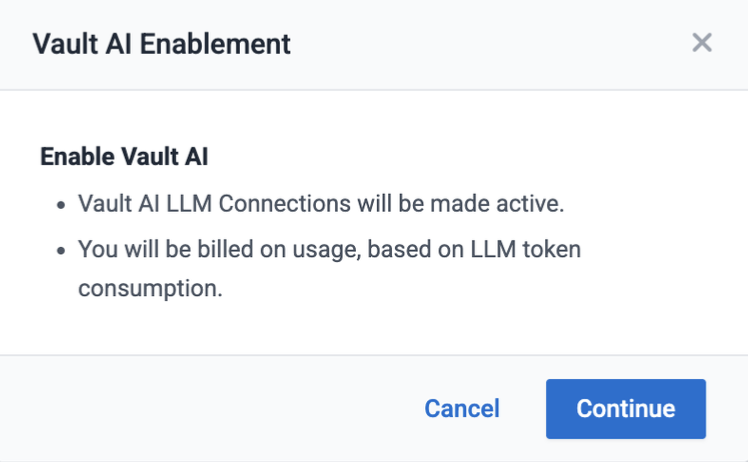
Vault AI is now enabled. The following changes automatically occur in your Vault:
- The Vault AI Settings populate with the LLM Settings and LLM Token Usage sections. Vault AI Basic and Vault AI Advanced are populated with Basic LLM and Advanced LLM respectively.
- All Vault AI LLM connections are activated.
- Vault AI Chat is activated.
- The Status of system, standard, and custom agents remain unchanged; however, their agent users become active.
- The Admin > Configuration > Agents, Tools, Entities, and Picklists pages are now visible and accessible.
Ensure users intended to use Vault AI are assigned the appropriate permission set.
Disabling Vault AI
Disable Vault AI by clearing the Enable Vault AI checkbox. The following changes occur with this action:
- The Admin > Configuration > Vault AI Setup (Agents and Tools) and Vault AI Metadata (Entities and Picklists) sections are removed and no longer accessible.
- Vault AI Chat is inactivated
- The Status of all system, standard, and custom agents remains unchanged. However, their associated agent users become inactive if they are active.
Assign Vault AI User Actions Permission Set
The Vault AI User Actions permission set allows users to access Vault AI features such as using Vault AI Chat. Once Vault AI is enabled, Admins can assign this permission set to their Vault AI users. The Vault AI User Actions permission set is available whether Vault AI is enabled or not.
The Vault AI User Actions permission set includes the following permissions:
- Application: Vault AI Chat: Use Chat
- Agents: All Agents: Execute
- Tabs: AI: View
- Pages: AI: View