Important: The functionality described on this page is only available to early adopters.
Vault provides an AI tab with a chat feature that allows you to query and explore your Vault data. You can inquire about a range of categories, such as documents approved in the last 30 days or the total number of Country records in a Vault. Ask questions in plain language without technical jargon, and the AI tab retrieves data to provide you an answer.
If you have the appropriate permissions, the AI tab displays in your list of tabs, and the Home tab is relabeled to Tasks.
Note: The AI tab focuses on helping you find and understand information in your Vault. It cannot perform specific Vault actions, such as creating records and initiating workflows. However, depending on the nature of your question, it may route to a Vault AI Chat action, such as translating and summarizing documents.
Navigating the AI Tab
In addition to exploring your Vault data, the AI tab displays additional chat-related options:
- New Chat: Initiates a new conversation
- Recent Chats: Displays all recent AI tab conversations. This only includes chats initiated on the AI tab.
- History: Displays a history of all chats from the AI tab and Vault AI Chat. Displays up to 30 days of history.
- Tasks: The total number of your tasks, including assigned and available tasks. Click Tasks > Show my tasks to navigate to the Tasks tab and view your tasks and active workflows. This counter displays 100+ if there are over 100 tasks.
- Suggested: Displays a list of suggested questions you can ask on the AI tab.
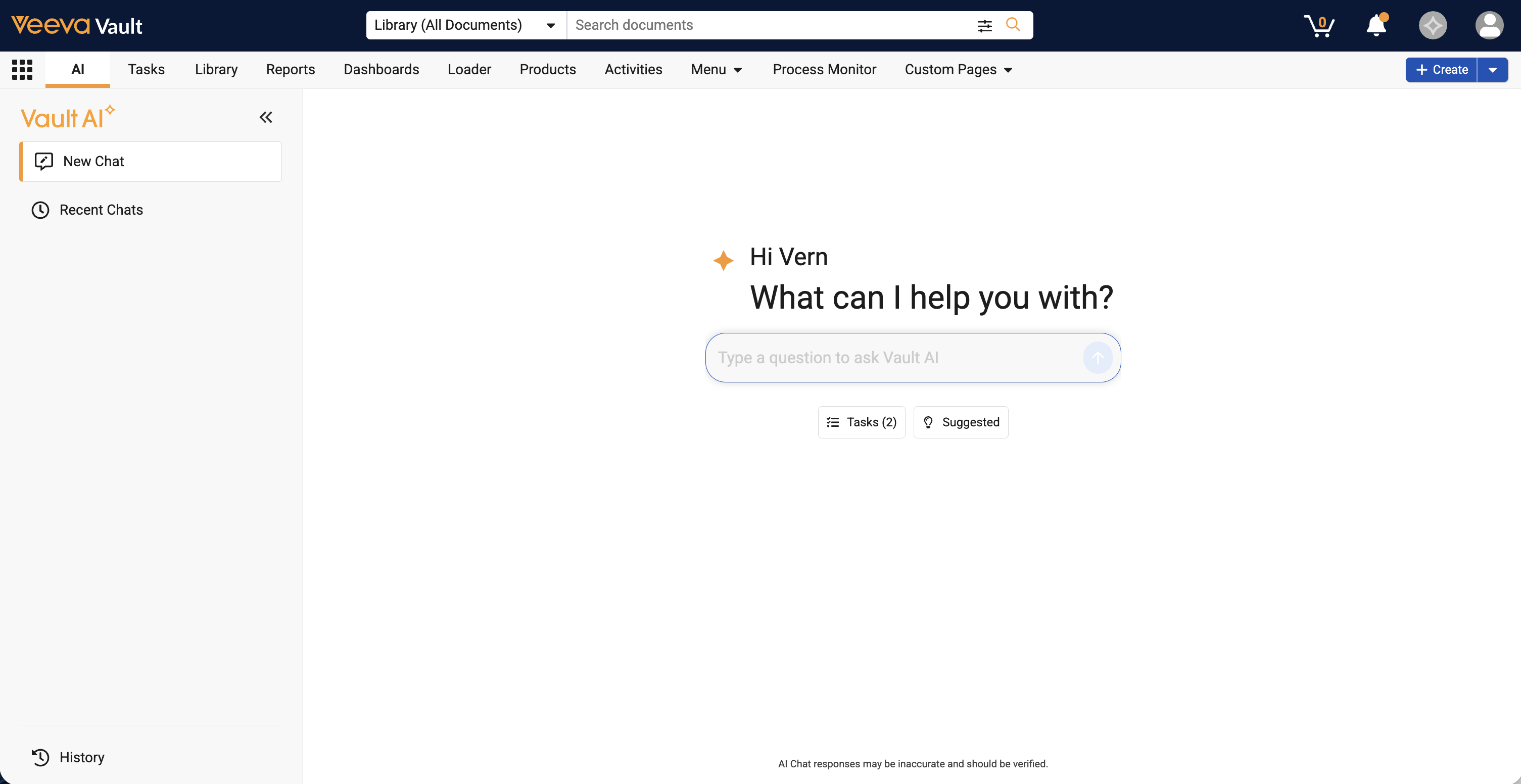
When you ask a question or submit a request, you can navigate away from and return to your conversation from the History or Recent Chats section at any time while the response is generating. Click Cancel request () in the text input field at any point to cancel the response generation.
Questions & Responses
You can submit a variety of questions and requests for information about your Vault. When you submit a question or request, the AI tab executes the Chat Action and Query Vault action to generate a response.
See the sections below for examples of questions you can ask. These are only examples and you are not limited to these question types.
Response Generation
Once you ask a question or submit a request, the AI tab begins a process to generate a response. During the process, messages are displayed to keep you updated on the response progress.
VQL Questions
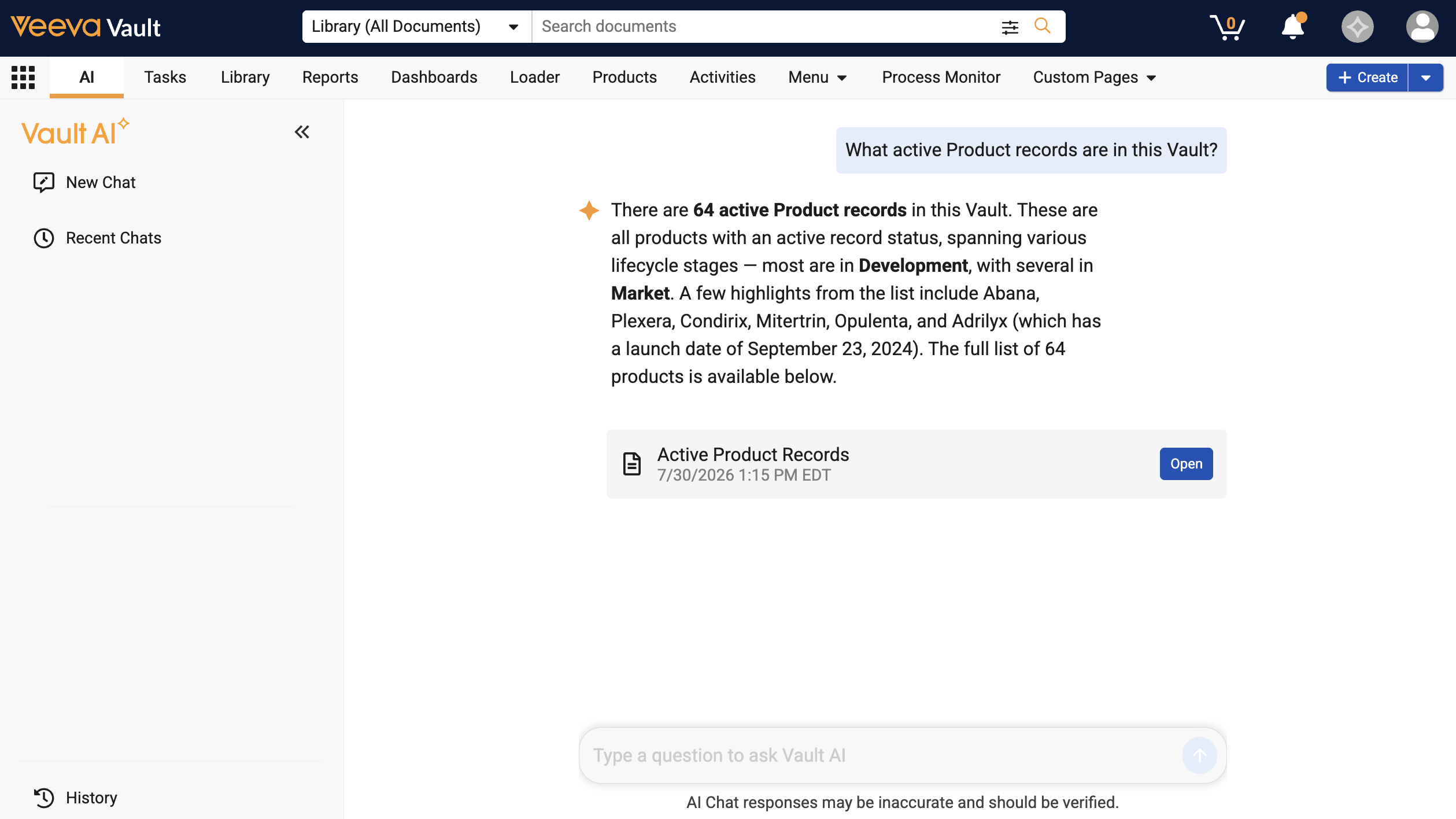
You can ask a question in plain language, such as “What active Product records are in this Vault?”, and Vault identifies the appropriate data by converting the question into VQL: SELECT id, name__v, state__v, abbreviation__c, generic_name__c, launch_date__c FROM product__v WHERE status__v = 'active__v' MAXROWS 1001 LIMIT 1000 OFFSET 0.
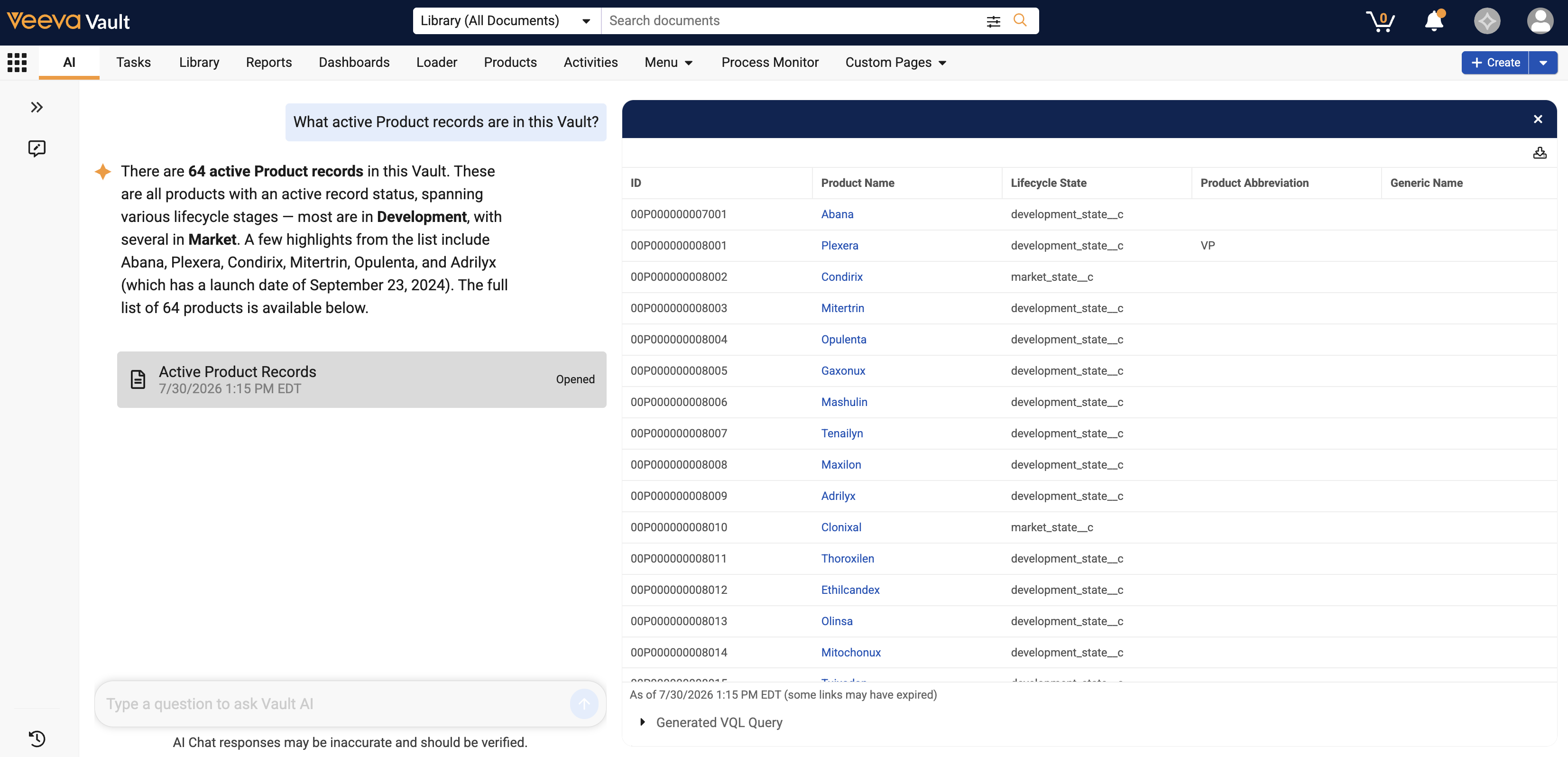
The AI tab responds with the data requested and an Open button that directs you to a list view of the data. Using the example above, the AI tab displays all active Product records.
The list view displays links to the requested data. In this example, a link to each active Product record is displayed. The list view also displays additional details on the data based on the question you asked.
Note: Admins should ensure custom and standard Vault AI Metadata is accurate and updated, as the AI tab uses this information to query your Vault data.
Navigation Questions
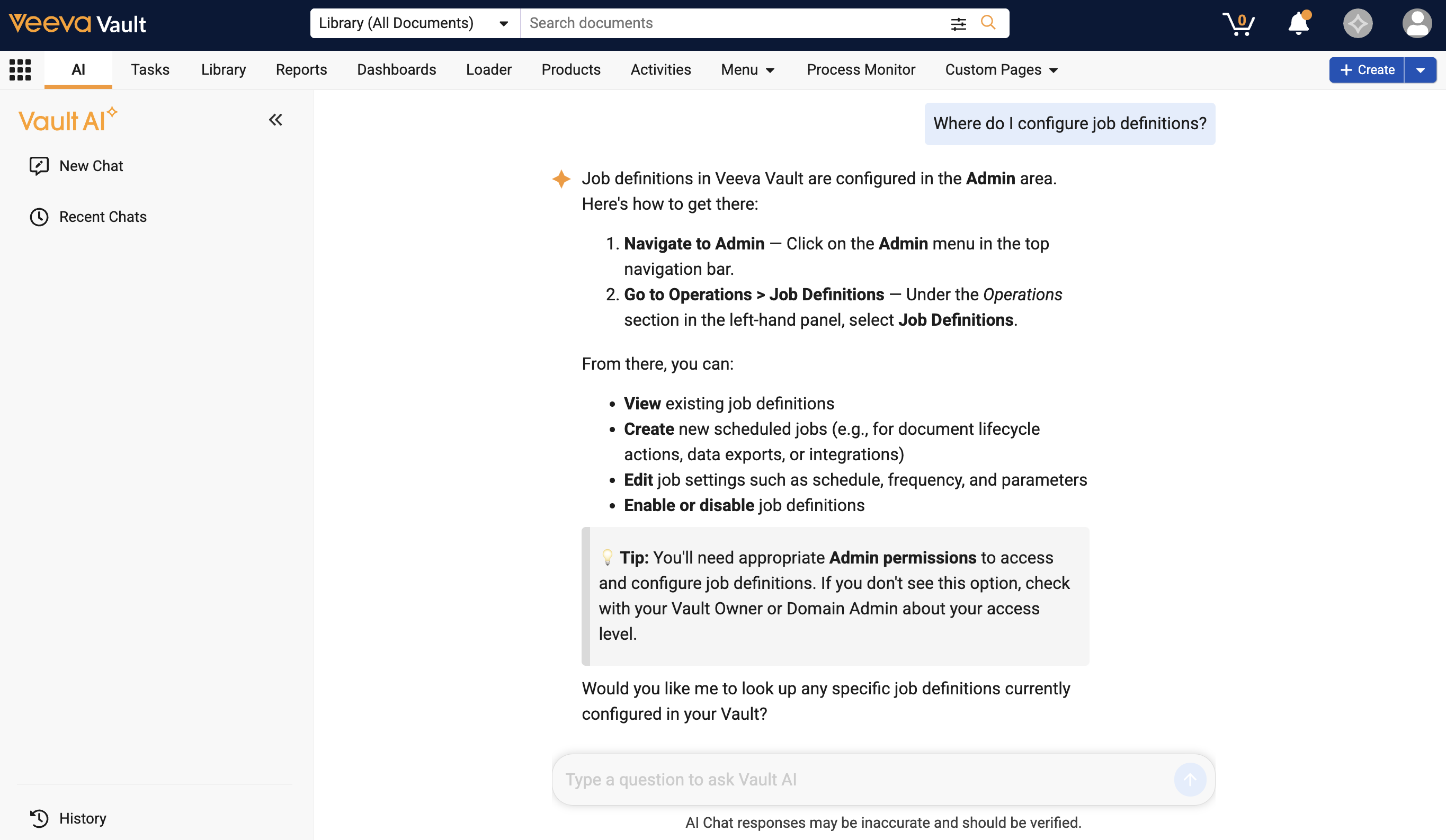
You can ask questions about navigating your Vault. For example, you could ask, “Where do I configure job definitions?”. The AI tab responds with details on how to find the data you need.
Instructions Questions
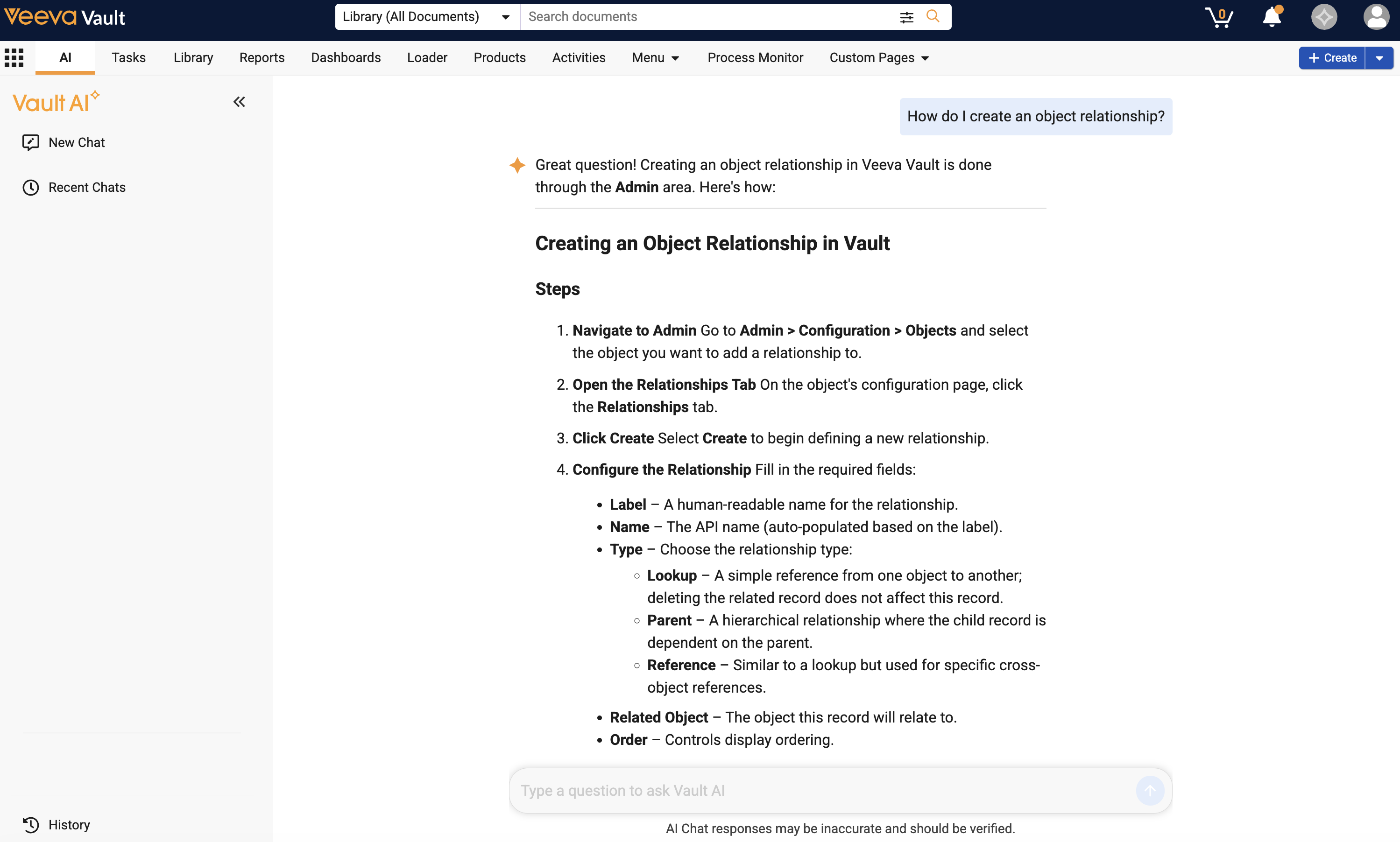
You can ask questions about specific tasks in Vault. For example, you could ask, “How do I create an object relationship?”. The AI tab responds with detailed instructions on how to complete the task.
Limits
The following limits apply to using the AI tab:
- You cannot modify any data in Vault, such as creating, updating, or deleting documents or records. You can only retrieve information about data in your Vault.
- You cannot ask billing and consumption-related questions, such as how many tokens the Vault used in a time period.
- You cannot ask workflow related questions about Legacy workflows. Only object and document workflows (single and multiple) are supported.
- The list view displays up to 1,000 rows of data. Results exceeding 1,000 rows are truncated.
- The AI tab cannot provide information about any Vault data you do not have permission to access.
- The AI tab can only answer questions about data within the Vault you are currently using.
Related Permissions
The following permissions control your ability to use the AI tab. These permissions are available under the Vault AI User Actions permission set:
| Permission | Access Details |
|---|---|
| Tabs: AI: View | Ability to view the AI tab. Must be enabled in conjunction with the Pages: AI: View preference |
| Pages: AI: View | Ability to view the AI tab. Must be enabled in conjunction with the Tabs: AI: View preference. |