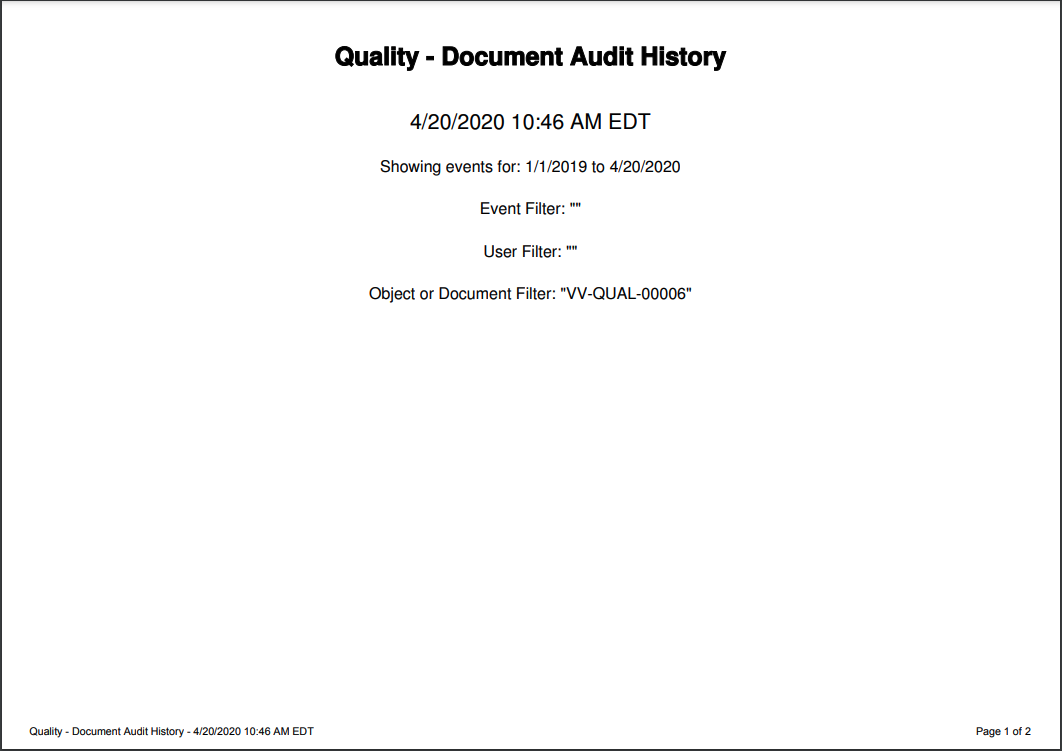
 ## Accessing Cover Page Template Management
From **Business Admin > Templates > Signature & Cover Pages**, you can manage the _Audit Export Cover Page_, signature page
templates, and the _Report Export Cover Page_
template.
## How to Edit the Template
To edit the cover page template:
1. From the **Signature & Cover Page Templates** page, click on the **Audit Export Cover Page** template.
2. Click **Edit**.
3. Make any necessary changes.
4. Click **Save**. The new template takes effect immediately for all new PDF exports of audit trails or audit histories.
## How to Inactivate the Templates
If you do not wish to show cover pages with PDF exports, you can make the _Audit Export Cover Page_ template inactive. To do this, remove all tokens from all fields in the template and save. Rather than generating a blank page, Vault generates a PDF without a cover page.
## Accessing Cover Page Template Management
From **Business Admin > Templates > Signature & Cover Pages**, you can manage the _Audit Export Cover Page_, signature page
templates, and the _Report Export Cover Page_
template.
## How to Edit the Template
To edit the cover page template:
1. From the **Signature & Cover Page Templates** page, click on the **Audit Export Cover Page** template.
2. Click **Edit**.
3. Make any necessary changes.
4. Click **Save**. The new template takes effect immediately for all new PDF exports of audit trails or audit histories.
## How to Inactivate the Templates
If you do not wish to show cover pages with PDF exports, you can make the _Audit Export Cover Page_ template inactive. To do this, remove all tokens from all fields in the template and save. Rather than generating a blank page, Vault generates a PDF without a cover page.
Note: You cannot delete the the Audit Export Cover Page template.
| Label | Token | Description |
| Audit Trail Name | ${auditTrailName} | Name of the audit trail, for example, Document Audit History or Login Audit History |
| Document | ${document} | (Document Audit Trail only) Document Number |
| Domain Name | ${domainName} | Domain name for the Vault, for example, veepharm |
| Event Filter List | ${eventFilterList} | List of events the audit history was filtered on, for example, BringForwardNotes, CheckIn |
| Export Date | ${exportDate} | Date of the export, in user's timezone |
| Export DateTime | ${exportDateTime} | DateTime of the export, in user's timezone |
| Export End Date | ${exportEndDate} | End date for the range included in the export |
| Export Start Date | ${exportStartDate} | Start date for the range included in the export |
| Exported by Username | ${exportedByUsername} | Username for user who exported the PDF, for example, tibanez@veepharm.com |
| Object | ${object} | (Object Record Audit Trail only) Object record label, for example, CholeCap |
| User Filter List | ${userFilterList} | List of users the audit history was filtered on, for example, cwalters@veepharm.com |
| Vault Name | ${vaultName} | Name of Vault where the export occurred |